
Add, move, resize, duplicate and delete cards on the grid.
On this page
Edit mode is where you build a dashboard. Enter it with the pencil icon in the top right; leave it with the checkmark.
While you are in edit mode your cards do not control anything. Tapping a light selects the card instead of switching the light, so you can rearrange a dashboard without setting off the house.
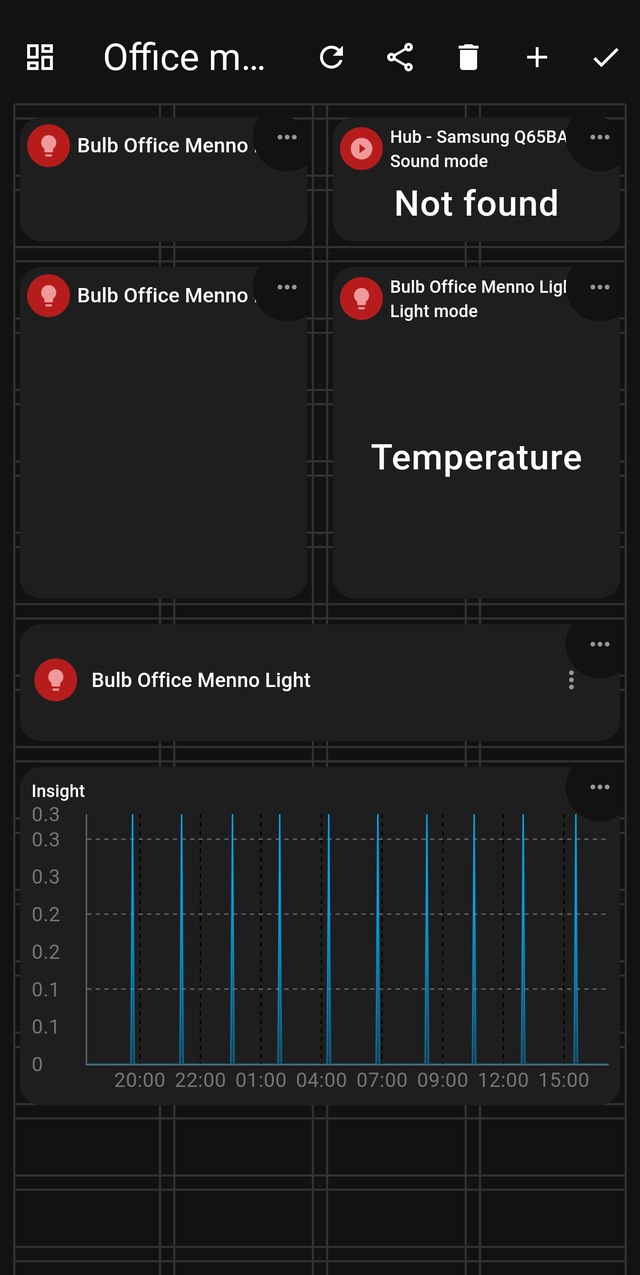
The grid
Edit mode draws the grid your cards snap to. A card occupies a whole number of squares in each direction.
The number of squares across depends on the screen. This is deliberate: a dashboard can have a different layout at each screen size. A layout you design on a phone does not disturb the layout you designed on a tablet — HDashboards stores them separately and shows whichever fits the screen you are on.
That does mean a card added on your phone will not automatically appear on the tablet layout. Open the dashboard on the tablet and place it there too.
Moving and resizing
- Move — press and hold the centre of a card, then drag it.
- Resize — press and hold a corner, then drag.
Cards cannot overlap. If a card refuses to move somewhere, something is already there.
The card menu
Every card shows ⋯ in edit mode:
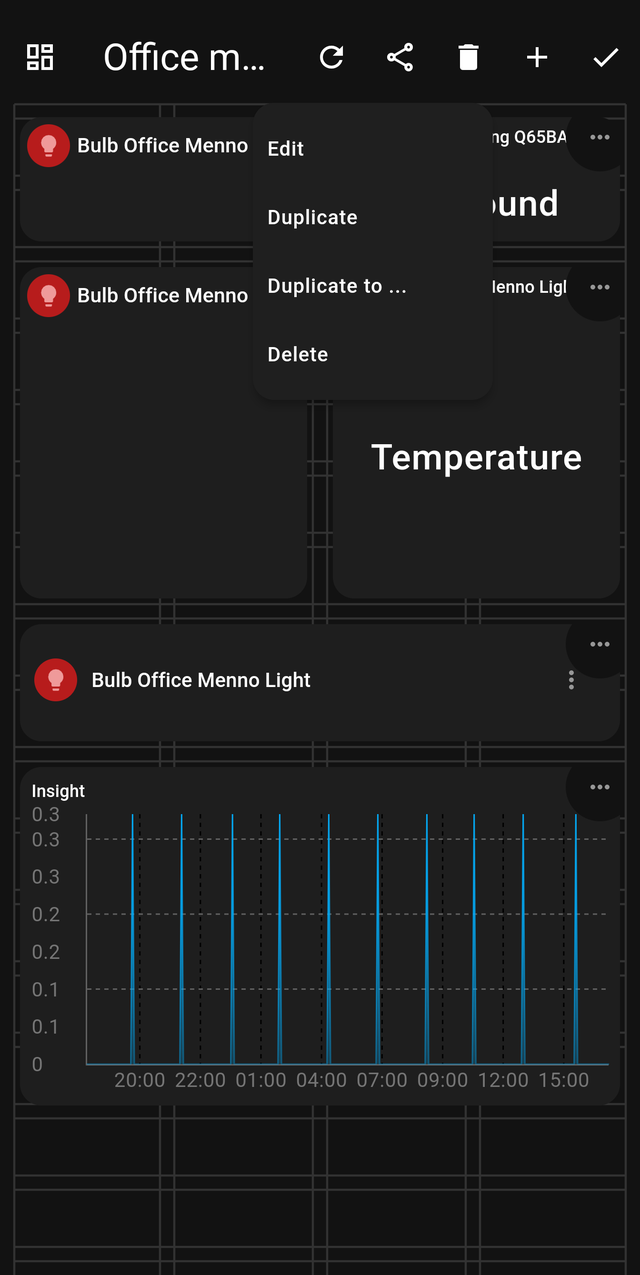
| Action | What it does |
|---|---|
| Edit | Opens card settings |
| Duplicate | Makes a copy on this dashboard |
| Duplicate to … | Copies the card to a different dashboard |
| Delete | Removes the card (recoverable for 14 days) |
Duplicate to … is the fastest way to build a second room: make one room's dashboard exactly right, then copy the cards across and repoint them at the other room's devices.
The top bar in edit mode
| Control | What it does |
|---|---|
| ↻ | Reload the dashboard from the server |
| Share | Share options for this dashboard |
| 🗑 | Dashboard-level delete |
| + | Add a card |
| ✓ | Save and leave edit mode |
Adding a card
Tap + and pick a type from the gallery. Each entry shows a live preview, so you can see roughly what you are getting. See all cards at a glance.
Undoing a mistake
Deleted cards and dashboards go to the trash bin for 14 days.