
A round clock face, optionally with the date.
On this page
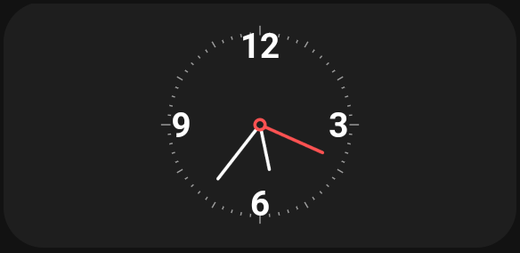
A round clock face with moving hands. Chosen over a Digital clock when you want the dashboard to look like an object rather than a screen.
Settings
| Setting | What it does |
|---|---|
| Show date | Show the date beneath the clock face |
| Date format | How that date is written |
Date format
Uses standard date-format patterns:
| Pattern | Result |
|---|---|
EEEE d MMMM |
Monday 3 March |
d MMM yyyy |
3 Mar 2026 |
dd-MM-yyyy |
03-03-2026 |
EEE d MMM |
Mon 3 Mar |
The card previews the result as you type, so you can experiment without saving.
Common pieces: d day, dd padded day, MMM short month, MMMM full month, yyyy year, EEE short weekday, EEEE full weekday.
Tips
- Keep it square. A clock face wants equal width and height. A stretched card leaves large empty margins.
- Larger is better. Hands on a small clock are hard to read at a glance — which is the whole point of a wall panel clock.
- Style it. The Style tab lets you set the background and foreground colours, so the clock can be made to sit quietly against a wallpaper rather than shouting.
Analog or digital?
An analog clock is decorative and readable from across a room. A Digital clock is precise and fits in a much smaller card. On a wall panel, analog looks better; on a phone dashboard, digital wastes less space.