
A dial showing a device capability or flow token against a range.
On this page
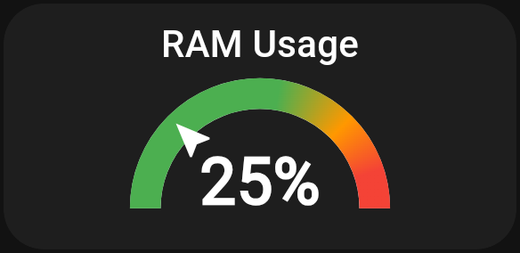
A dial that shows one value against a range, with optional colour bands. Good for anything where "is this high or low?" matters more than the exact number.
What it is for
Humidity, CO₂, power draw, water pressure, tank level, signal strength — values that have a comfortable range and an uncomfortable one.
Settings
| Setting | What it does |
|---|---|
| Source | Where the value comes from: From device or From flow token |
| Device / Flow token | The specific device capability or token to read |
| Title | The card's heading |
| Unit | Text shown after the value, e.g. %, W, ppm |
| Min value | The bottom of the dial |
| Max value | The top of the dial |
| Precision | How many decimal places to show |
| Refresh (seconds) | How often to re-read the value |
| Use Gradient | Blend the colour bands smoothly instead of stepping between them |
| Colour ranges | Bands of colour across the dial |
Source
- From device — read a capability from a Homey device.
- From flow token — read a flow token or variable. Use this for values Homey calculates rather than measures.
Min and max
Set these to the range you actually care about, not the range the sensor can theoretically produce. Indoor humidity between 20 and 80 makes the needle move meaningfully; 0 to 100 wastes half the dial.
Colour ranges
Add bands so the dial says what the number means at a glance. For indoor CO₂:
| From | To | Colour |
|---|---|---|
| 400 | 800 | Green |
| 800 | 1200 | Amber |
| 1200 | 2000 | Red |
Use Gradient blends between bands. Steps are clearer for thresholds; a gradient looks better for continuous values.
Precision
0 for whole numbers — right for CO₂ or watts. 1 for temperature. Showing four decimals of humidity helps nobody.
Gauge or graph?
A gauge shows the value now. If you want to see how it changed over the day, use an Insight graph. They pair well: the gauge for the current state, the graph underneath for context.
Tips
- Give it space. Dials need room. Two-by-two or larger.
- Refresh rate. Match it to how fast the value actually moves. Room temperature does not need a two-second refresh.